
Electricity Bricklayer Electricity Guide: Wire, Bulbs, Logic Gates and More
The named electrical parts in Electricity Bricklayer — wire, connection points, a power source, bulbs and logic gates — and what each does on a powered job.
Electricity arrived in Electricity Bricklayer with Update 4, announced by the developer as "electricity with logic, bulbs, wiring & more" — the same update that renamed the game ⚡ELECTRICITY🔥Bricklayer — and Update 4.1 has already expanded it. The electrical pieces those patch notes and player accounts name so far are wire, connection points, a power source, bulbs and logic gates. That announcement ends in "& more": this is the named set, not a closed parts list. Here is what each named piece does and how the pieces work together on a powered job.
| Part | What it does |
|---|---|
| Connection points | Visible markers on any structure that needs power. Every point has to be reached by wire before the job pays out. |
| Power source | Where a circuit starts. You route wire from it to each connection point on the build. |
| Wire | The piece you place. Run it from the power source to each connection point in sequence to power the structure. |
| Bulbs | The lights of the electrical set, named by the developer alongside wiring and logic when electricity launched. |
| Logic gates | The logic side of the system. Update 4.1 added NAND, NOR and XOR gates to the family and changed the logic gate delay. |
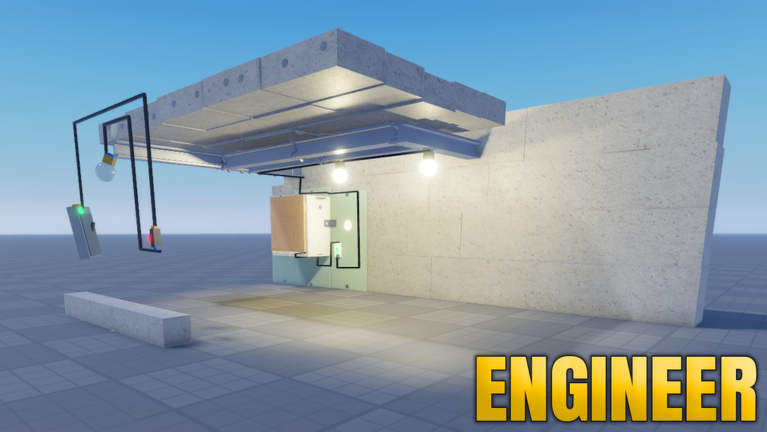
How the parts work together on a job
Structures that need power start appearing as you move up the build tiers. When you finish the brick stage, look for the connection points on the build, then route wire from the power source to each point in order. Take it methodically — left to right, ground to ceiling.
Getting a route wrong does not fail the job outright: the structure just sits fully built but unpowered, and the game holds your payout until the wiring is corrected. That catches players out — completed higher-tier builds can sit ready while the cash stalls, simply because the wiring step was never finished. So treat wiring as a required stage, not an optional extra: power source first, then every connection point in sequence.
When wires won't connect
Some players on lower-end devices have reported wires clipping through walls or failing to connect in tight spaces. The community-suggested fix is to toggle grid snap off and place the wire manually. This is a player-reported workaround rather than a confirmed patch, so it is something to try when placement misbehaves.
The set keeps growing
Update 4.1 added NAND, NOR and XOR gates to the logic gate family and changed the logic gate delay. New electrical pieces have already been added this way, and you can track what changes on the updates page.
If you are new to the build-and-wire loop these parts sit inside, start with how to play Electricity Bricklayer. For the lighting side of the electrical set, see how to wire lights.